
Michigan Ongoing Health and Safety Training Refresher

Registering For Refresher 2026
This training is an interactive online training. Your learning will be assessed throughout the training. This training covers the following topics:
- Administration of Medications
- Prevention and Response to Emergencies due to Food & Allergic Reactions
- Prevention And Control of Infectious Disease, Including Immunizations
- Handling & Storage of Hazardous Materials & Appropriate Disposal of Bio-contaminants
You can register for this training by visiting either the MiRegistry Statewide Training Calendar or Michigan Virtual Professional Learning Portal. For step-by-step instructions, review the Navigating to the Michigan Ongoing Health and Safety Training Refresher 2026 Course guide.
Please Note: This online training is facilitated by Michigan Virtual. For questions about accessing this training in Michigan Virtual, creating a Michigan Virtual account, or navigating the Professional Learning Portal contact Michigan Virtual.
Michigan Virtual has Customer Care Hours Monday – Friday: 7:30 a.m. 5:00 p.m. Users may call 888-889-2840 or submit a support ticket for assistance.
Face-to-Face or Spanish Options
Helpful Tips and Links For Refresher 2026
Checking Attendance Records
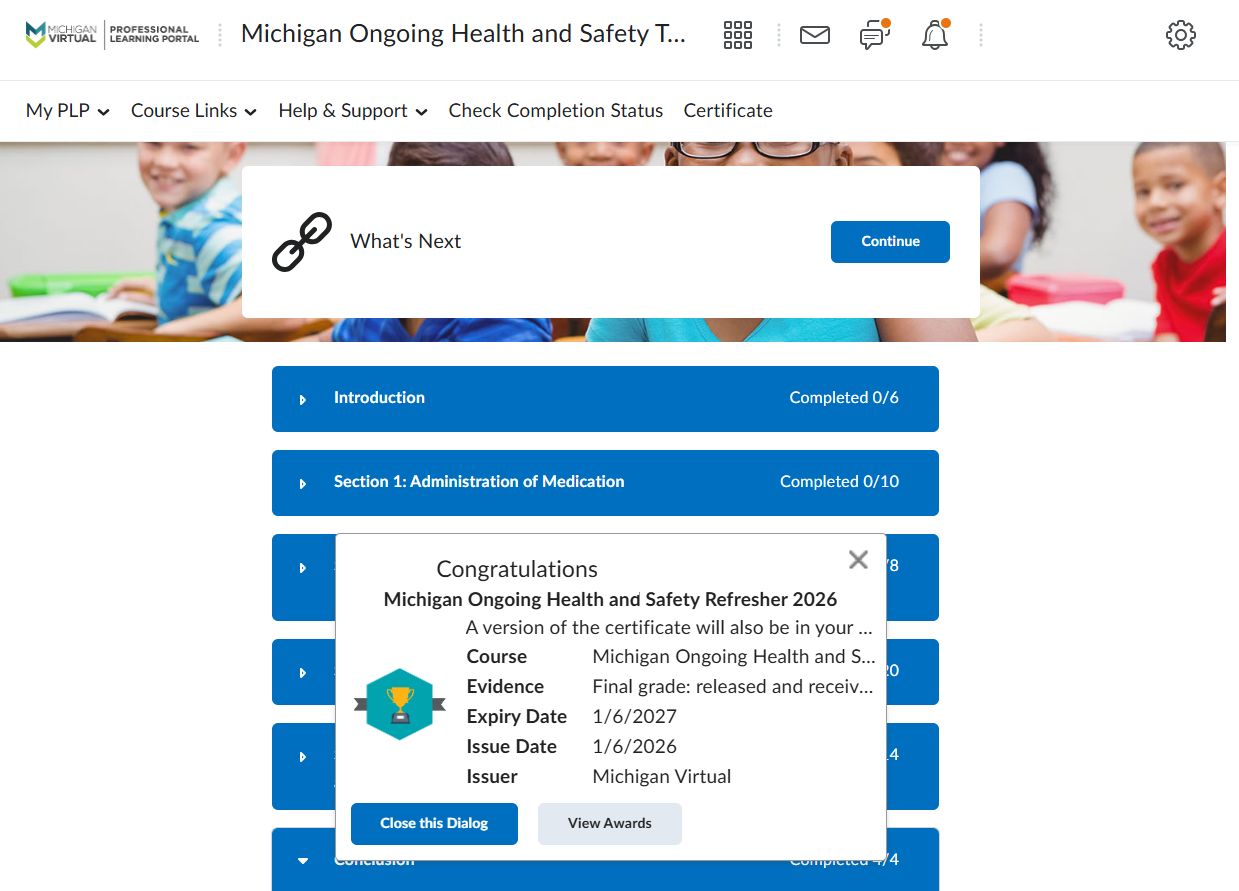
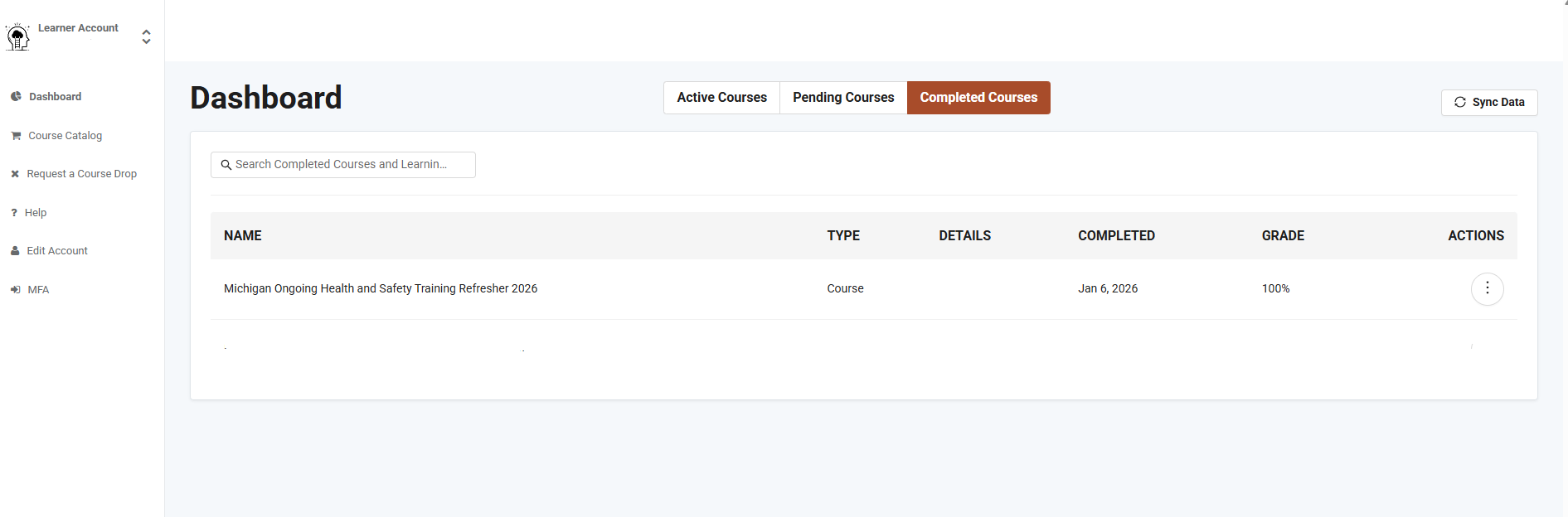
You should also be sure to review the Training Summary of your MiRegistry Profile to ensure the training is listed as VERIFIED.
To do so,
- Login to your MiRegistry profile.
- Click on View All My Training (shown below).
- Find the Michigan Ongoing Health and Safety Training Refresher 2026 and make sure it is listed as VERIFIED. If the training lists as VERIFIED, no further action is needed.
Review the Health and Safety Verification guide for more information.
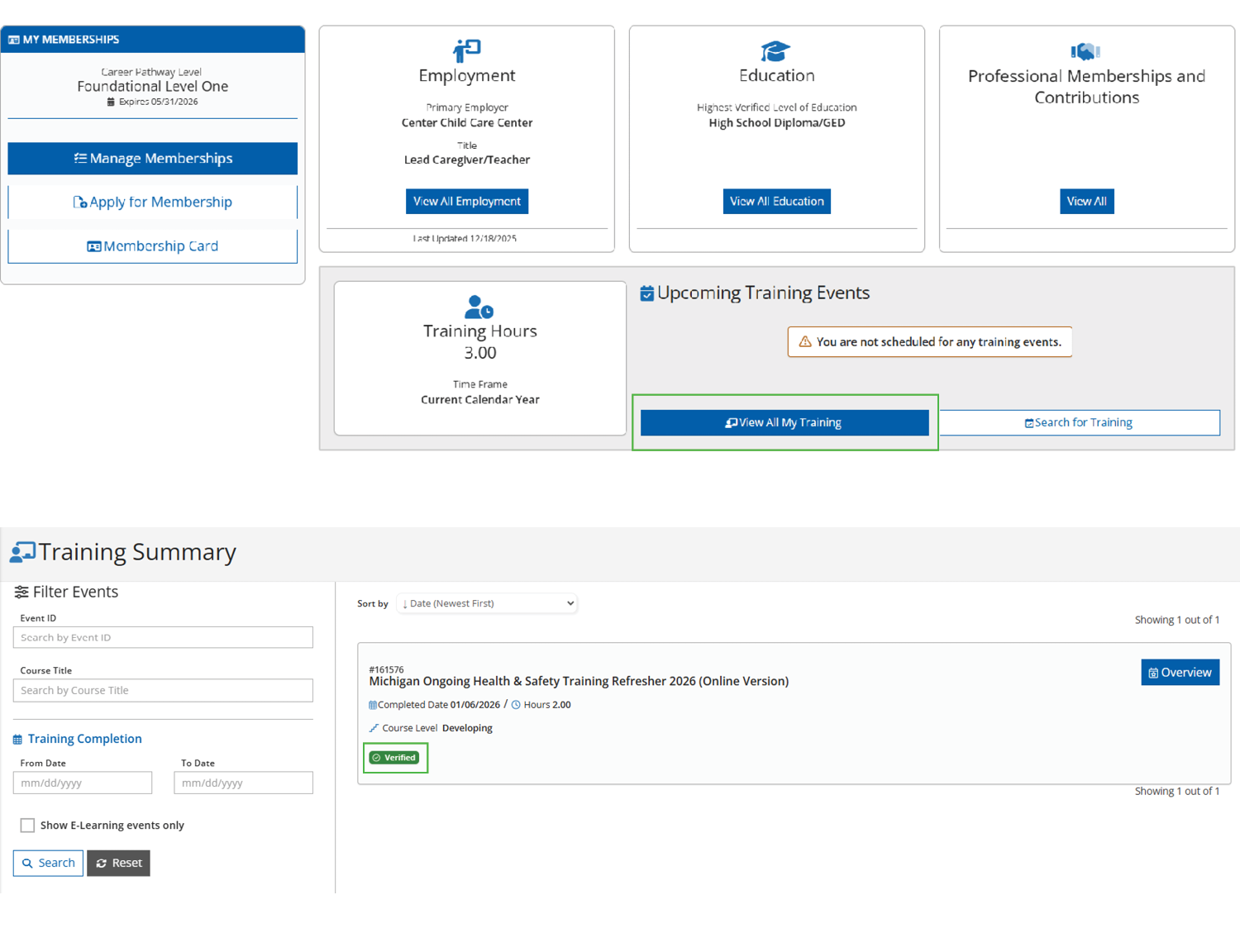
- Log in to your MiRegistry Profile.
- Click View All My Training (shown above).
- Find the Michigan Ongoing Health and Safety Training Refresher 2026 and make sure it is listed as VERIFIED (shown above).
If you don’t see the training verified on your Training Summary, you can check to see that you have completed the course by clicking on the “Check Completion Status” in the course module. This will indicate whether you are complete or incomplete. If incomplete, there will be a list of any activities that are incomplete. You can then go to each activity and complete it.